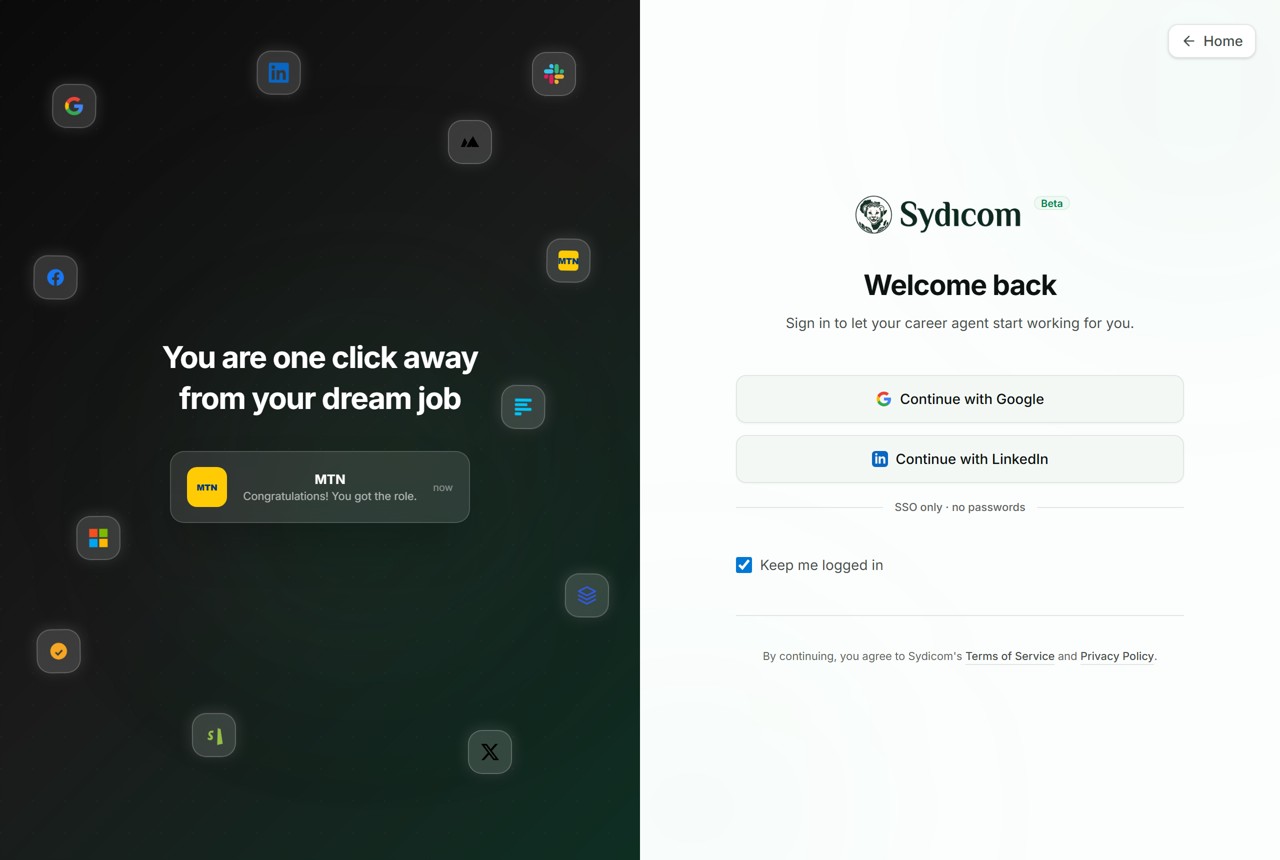

Sydicom is built to make a remote job search fast, so this walkthrough is short on purpose. In four steps, here is how you go from the homepage to applying for a real remote role, with a screenshot of each one.
Step 1: Start your search on the homepage
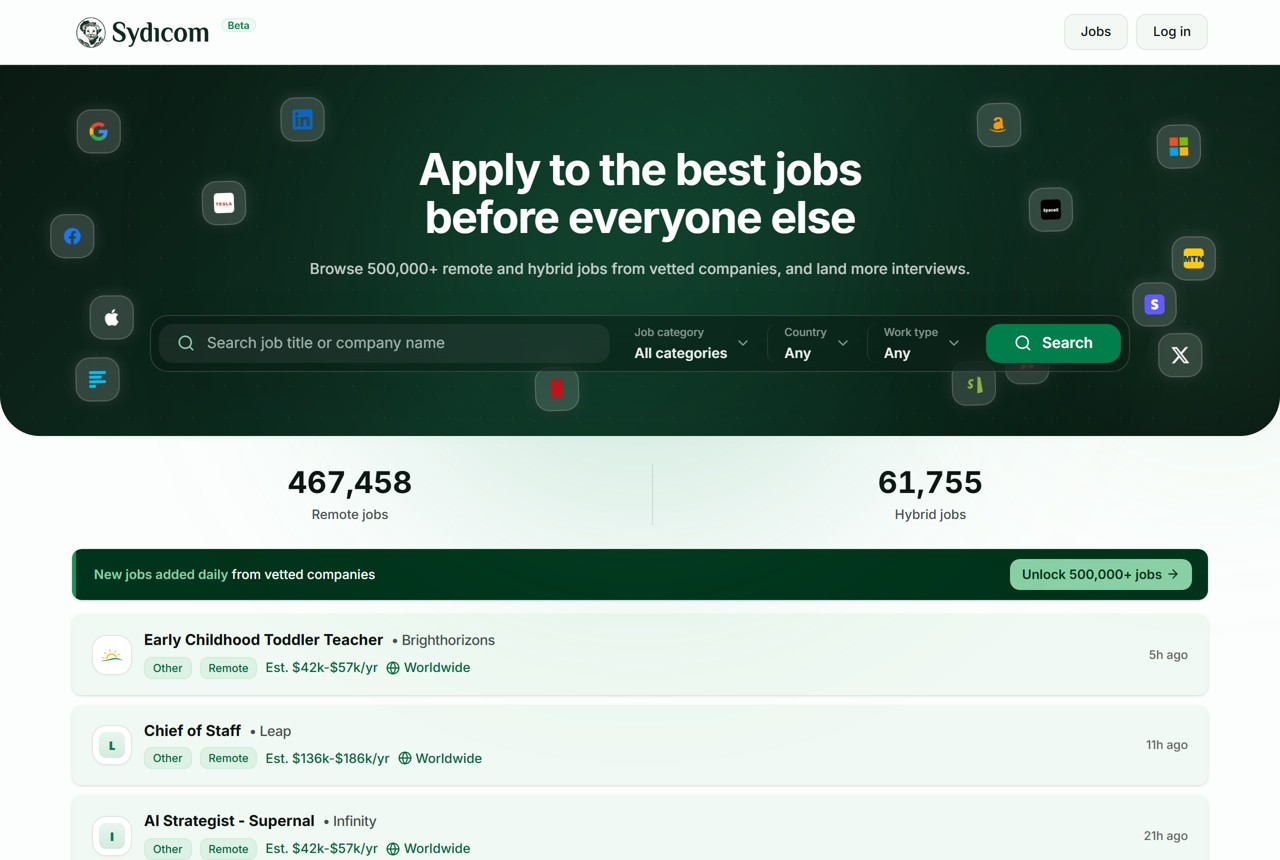
The homepage is a search box sitting on a live feed of remote and hybrid roles. Type a job title or company, or just set the filters for job category, country, and work type, then search. The counters tell you how many remote and hybrid jobs are live right now.
Step 2: Browse the jobs board
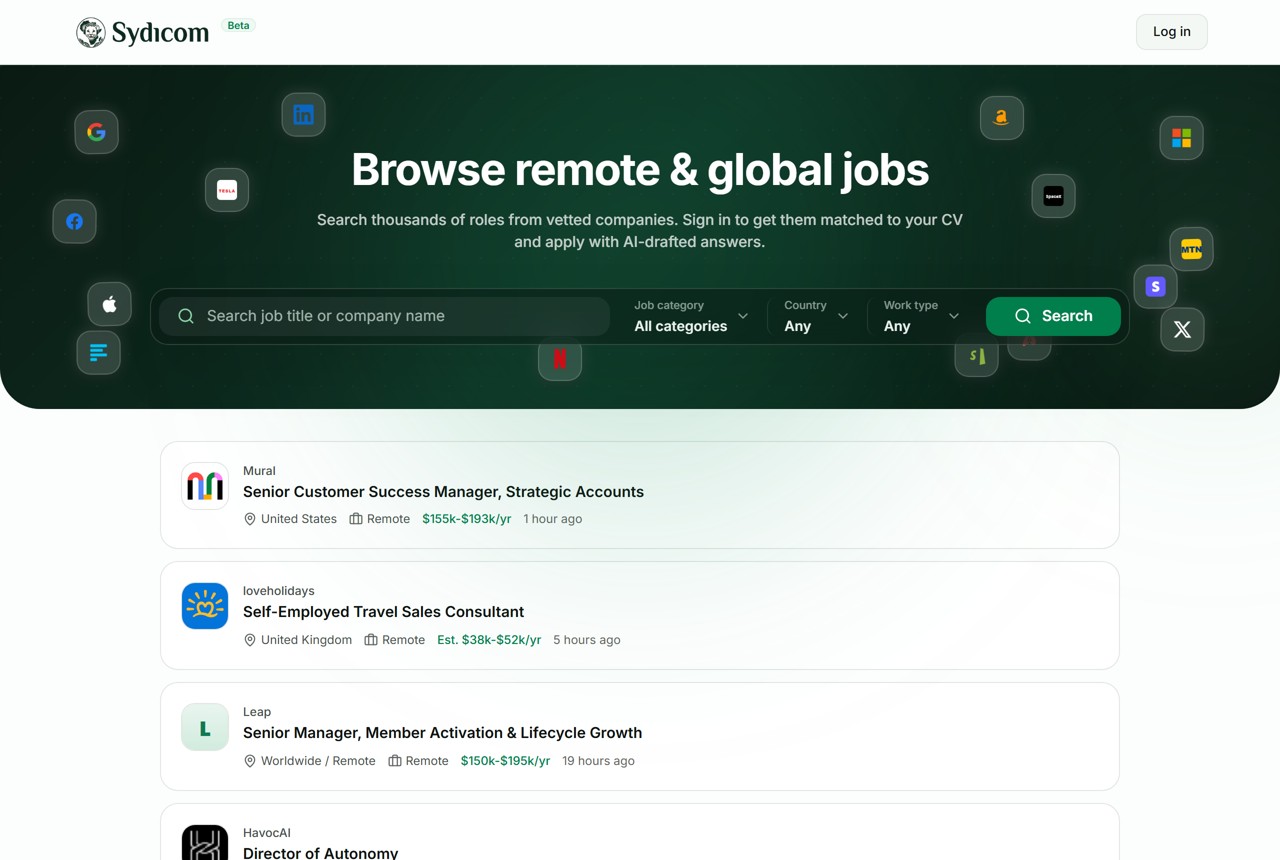
The board lists thousands of remote and global roles from vetted companies. Each card shows the company, the role, the location, the work type, and an estimated salary, so you can scan fast and skip whatever does not fit.
Step 3: Open a role to read the details
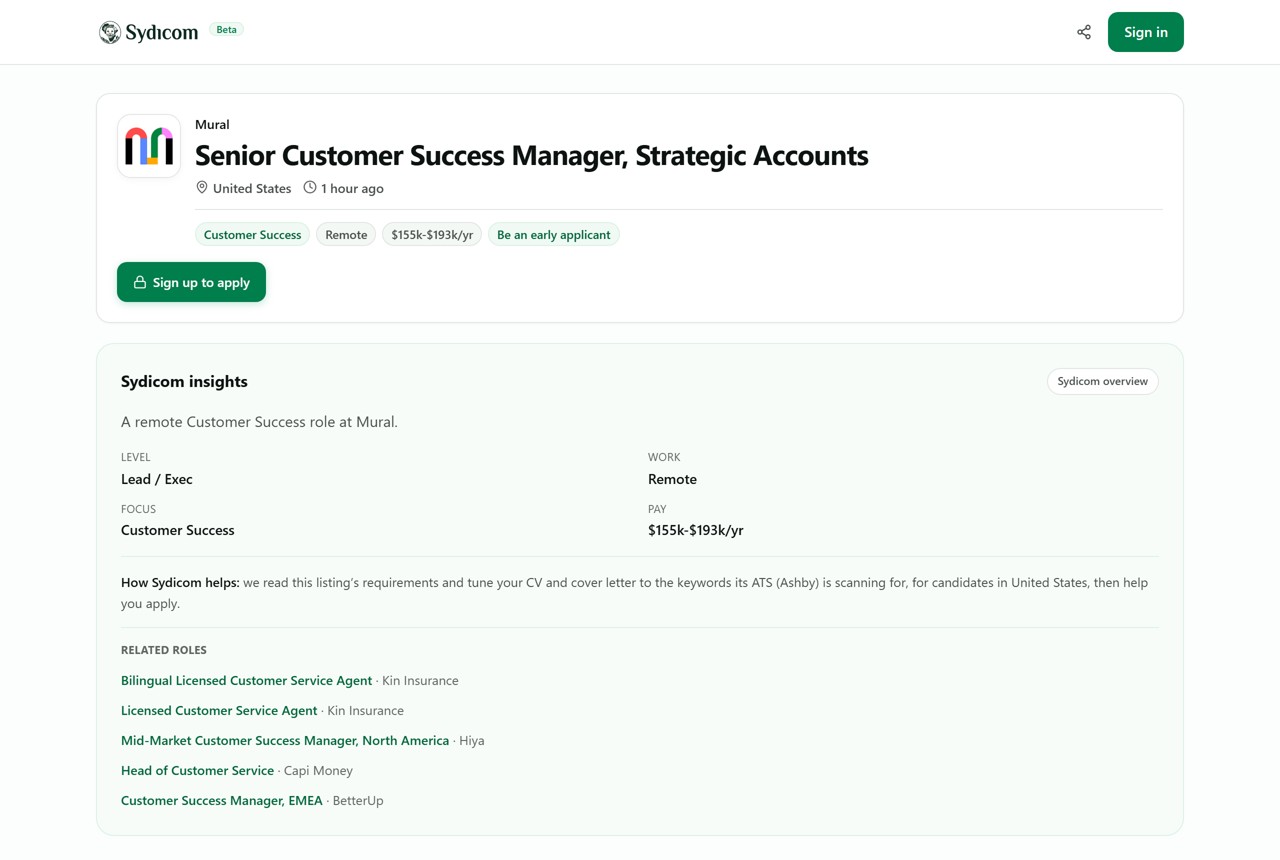
Click any role to open its page. Alongside the job description you get Sydicom insights, which include the seniority level, the work setting, the pay range, and which applicant tracking system the company uses (here, Ashby). That last detail matters, because the ATS is the software your CV has to get past. Related roles sit at the bottom so you can keep moving.