
Sydicom's board holds thousands of remote and hybrid roles, so the real skill is filtering fast to the ones that fit. Here is how to search and sort the board in three steps, with the exact buttons marked on each screenshot.
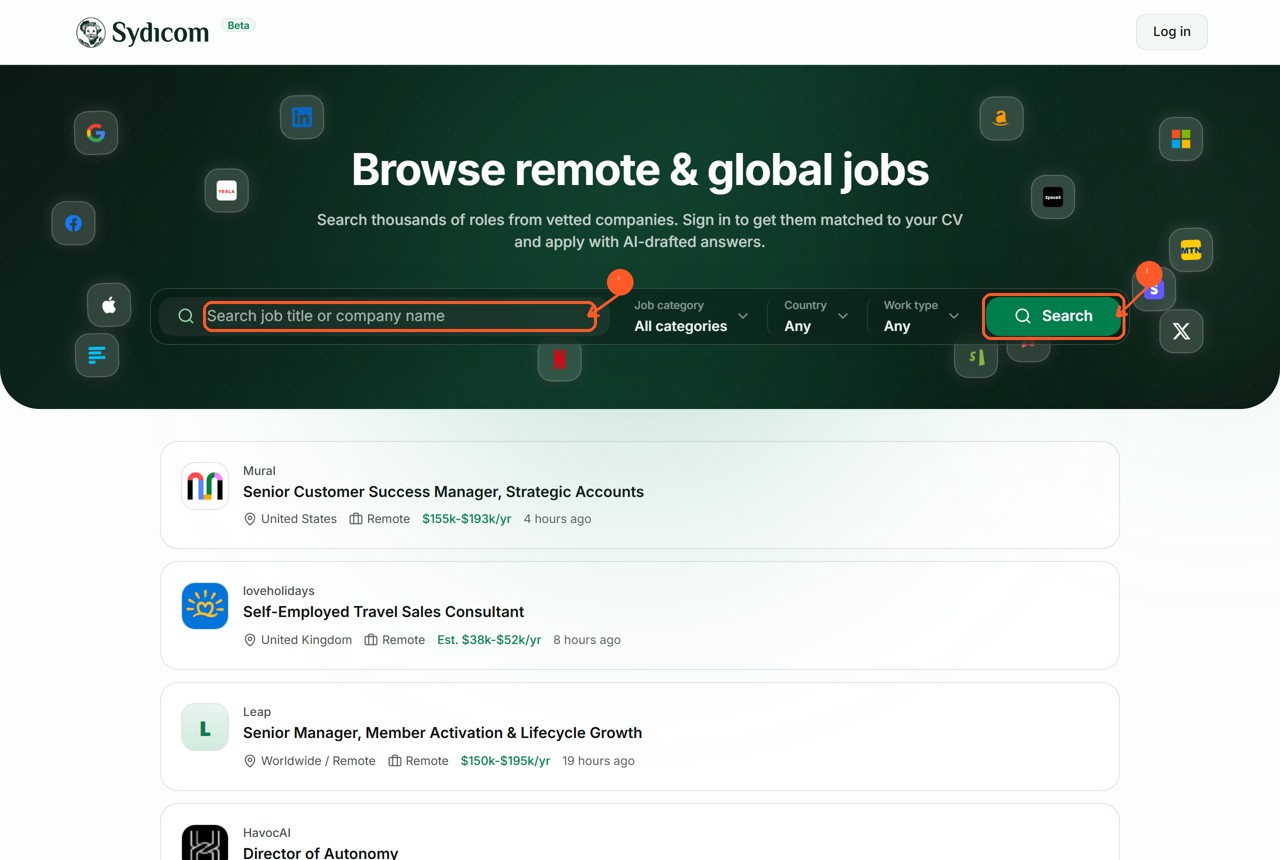
Step 1: Search or set the filters
Use the search box to type a job title or company, or set the dropdowns for job category, country, and work type, then hit Search. You can combine them: search "designer," set work type to Remote, and the board narrows to remote design roles.
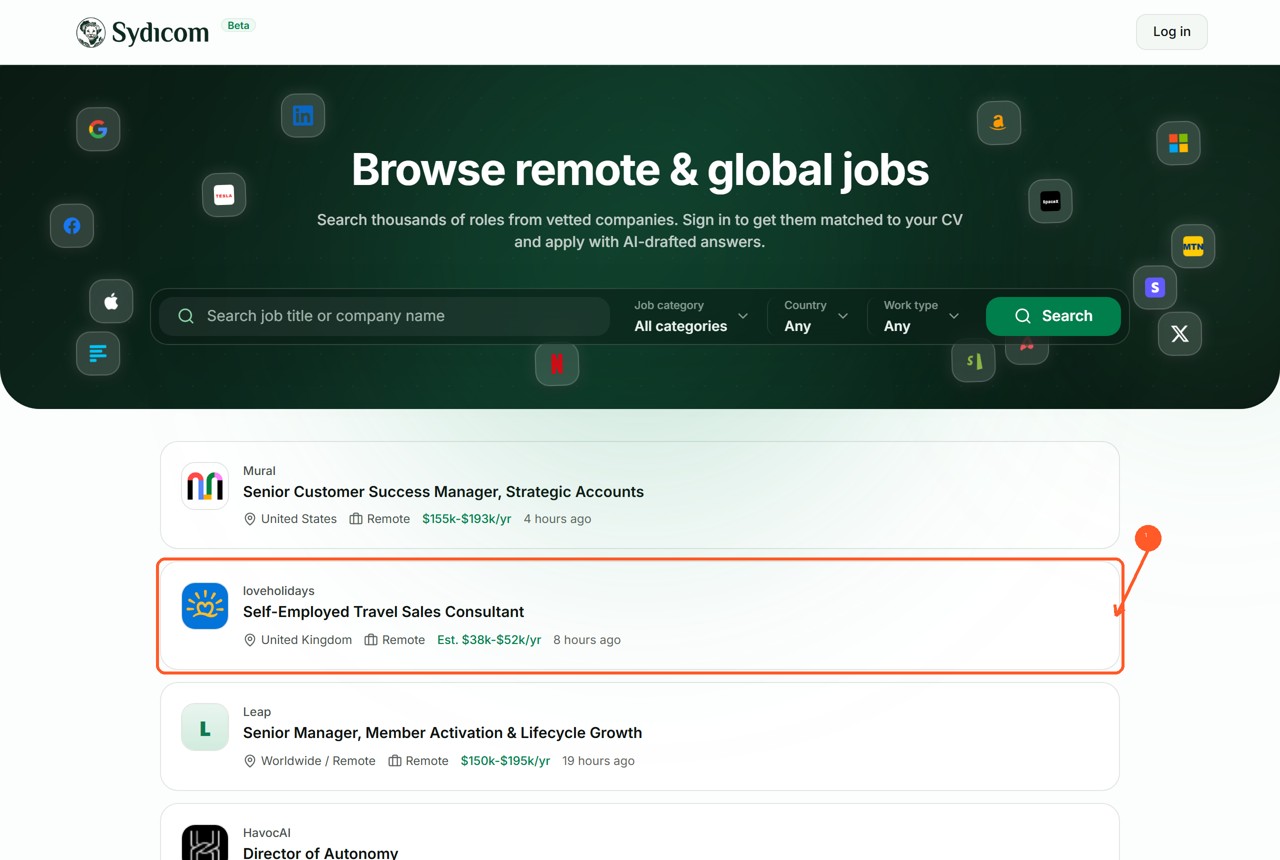
Step 2: Scan the results
Each result is a card showing the company, the role, the location, the work type, and an estimated salary. You can read most of what matters without opening anything, so skim and skip whatever does not fit before you click in.
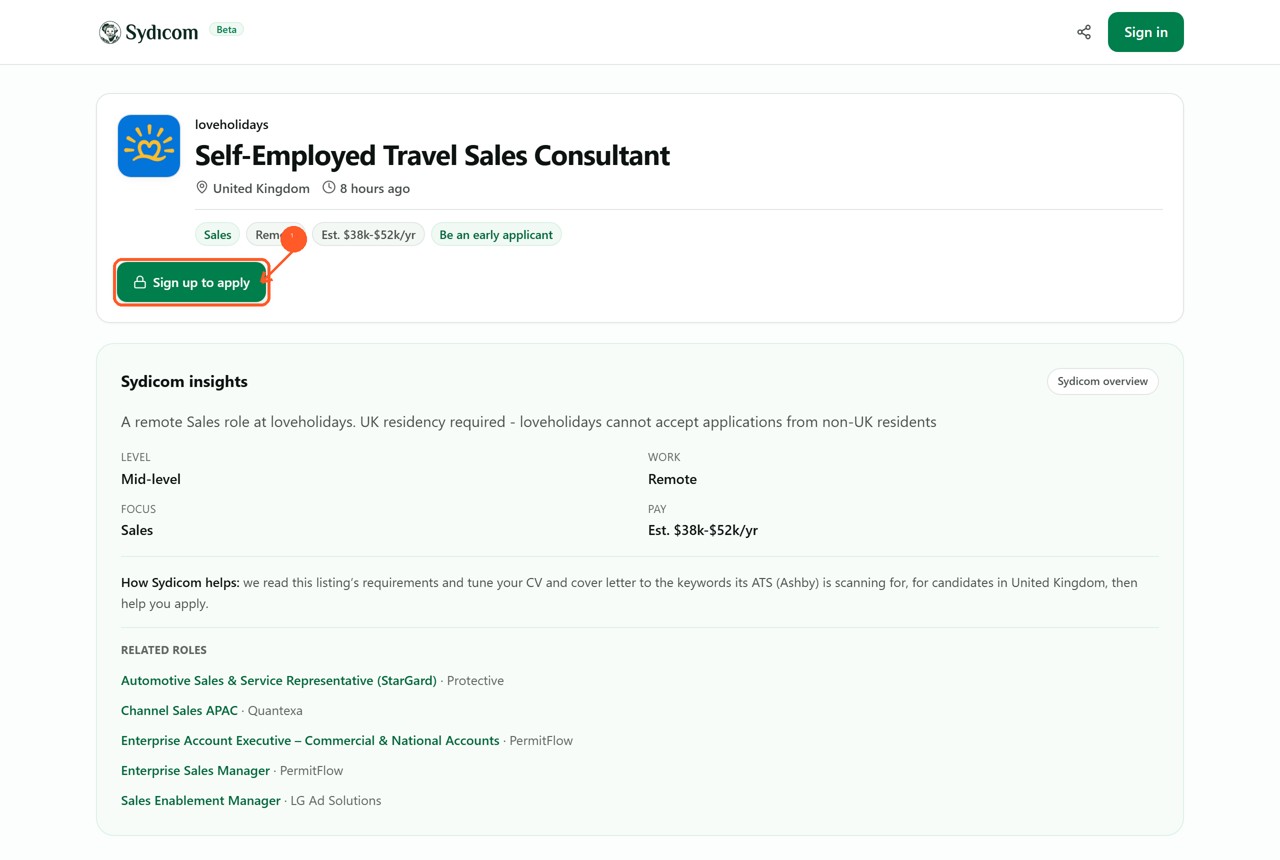
Step 3: Open a role and apply
Click any role to open its page. You get the full description plus Sydicom insights: the seniority level, the pay range, and the applicant tracking system the company uses. When it fits, hit Sign up to apply, which is free, and Sydicom tailors your CV and drafts the answers for that role.